The Problem
"We Required It" Isn't a Legal Defense
Your contract says:
"Subcontractor shall conduct Pre-Task Plans for all high-risk activities."
✓ Your lawyer approved that language
✓ You think you're protected
Then the incident happens:
- •Worker falls from unprotected edge
- •Claims he wasn't briefed on fall protection
Your lawyer asks:
"Where's the PTP from that morning?"
You call the foreman:
"Yeah, we did it. I have it somewhere."
Three days later, you get a PDF:
- ✗ No signatures
- ✗ No timestamp
- ✗ Typed on computer
- ✗ Could've been created yesterday
OSHA investigator looks at it and says:
"This doesn't prove anything."
Your lawyer says: "We have a problem."
- • You can't prove the briefing happened
- • You can't prove the worker was there
- • You can't prove what hazards were discussed
Contract language doesn't protect you.
Documentation does.
How It Works
From task selection to signed PTP in 90 seconds
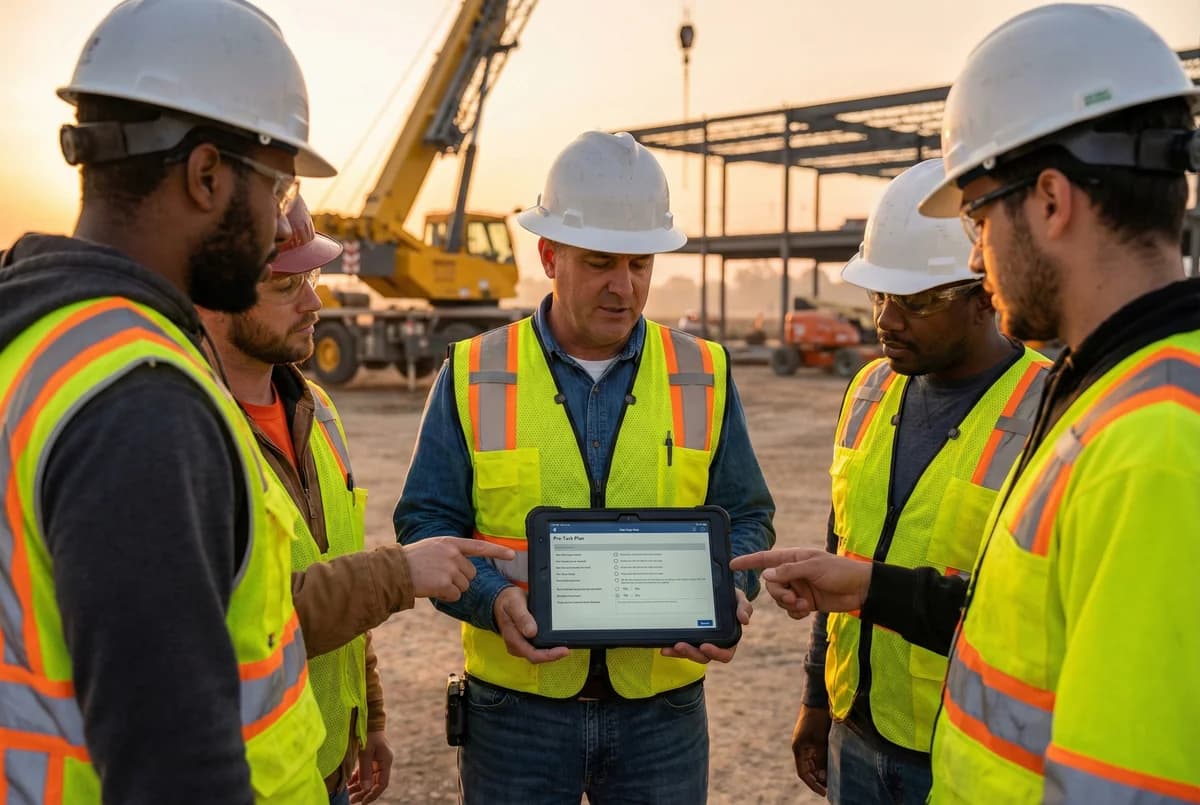
Foreman Creates Digital PTP On-Site
Every morning before work starts.
Foreman opens HazardHawk on tablet or phone.
AI assists with hazard identification:
- Analyzes work scope description
- Suggests relevant hazards based on task
- Pre-populates OSHA code references
- Recommends required PPE
Foreman reviews and adjusts.
Takes 3-5 minutes.
Crew Signs Digitally With GPS/Timestamp
Every worker on the crew signs the PTP.
Digital signature on phone or tablet.
System captures:
- GPS coordinates (proves on-site)
- Timestamp (proves when)
- Worker name and signature
- Device ID
Worker can't sign unless physically on-site.
Geofencing prevents remote signatures.
All signatures captured in under 2 minutes.
PTP Becomes Admissible Legal Record
Completed PTP gets:
- Unique document ID
- Hash verification (proves not altered)
- PDF export with all signatures
- Stored in tamper-proof archive
When litigation occurs, you produce:
- The exact PTP from the morning of incident
- Every worker's signature with timestamp
- GPS coordinates proving on-site presence
- Hash verification proving no alterations
Defense attorney's dream.
Plaintiff attorney's nightmare.
Key Features
1. AI-Assisted Hazard Identification
AI suggests hazards based on: Work scope description, Location (confined space, elevated, etc.), Equipment involved, Historical incidents on similar tasks. Foreman can accept or modify. Reduces oversight. Increases consistency.
2. OSHA Code Cross-Referencing
Every identified hazard links to relevant OSHA code: Fall protection → 1926.501, Electrical work → 1926.416, Excavation → 1926.651, Hot work → 1926.352. Educational value for field crews. Legal reference for documentation.
3. Required PPE Checklist
Based on identified hazards, system generates required PPE list. Workers acknowledge they have required equipment. If worker doesn't have required PPE? PTP can't be completed until resolved. Enforces compliance before work starts.
4. Photo Documentation Integration
Attach photos to PTP: Work area conditions, Equipment setup, Identified hazards, PPE in use. Visual record of site conditions. Proves hazards were visible and discussed.
5. High-Risk Task Flags
Certain tasks trigger mandatory PTP completion: Confined space entry, Hot work (welding, cutting, grinding), Crane operations, Excavation over 4 feet, Work at heights over 6 feet. Can't start work without completed PTP. System enforces compliance.
6. Digital Signature Capture
Not just typed names. Actual handwritten signatures captured on touchscreen. Meets legal requirements for electronic signatures. Admissible in court. Same legal weight as paper signatures.
7. Local Data Queuing
In areas with poor signal, signatures and photos queue locally on your device. GPS coordinates are captured at time of signing. Data uploads automatically when connection is restored.
Legal Defense Value
What You Hand the Plaintiff Attorney
Worker claims: "I was never told about the fall protection requirements."
You produce:
- Digital PTP from morning of incident
- His signature captured at 6:47 AM
- GPS coordinates showing he was on-site
- Specific fall protection hazards listed and discussed
- Required PPE checklist he acknowledged
- Photo of work area conditions from that morning
Plaintiff attorney asks: "How do we know this wasn't created after the fact?"
You provide:
- Blockchain hash verification (proves document not altered)
- Timestamp from independent time server
- Device ID and IP address from signature capture
- Full audit log showing creation, signatures, completion times
Case dismissed.
This is the difference between:
"We required PTPs in the contract" (meaningless)
and
"Here's the signed PTP from that morning" (case closed).
Integration
PTPs export to:
- PDF (for email, printing, court submissions)
- CSV (for spreadsheet analysis)
- API (for integration with PM platforms)
Sync with:
- Procore Daily Logs
- Autodesk Build
- SharePoint document libraries
- Custom internal systems
One-click export for OSHA investigations.
Simple Pricing
Digital PTPs included in both tiers
Field Worker
$29/user/month
For crew members who need to sign
- Digital signatures
- Sign PTPs & reports
- View assigned documents
Safety Pro
$99/user/month
Full access to all features
- Unlimited AI hazard analysis
- AI-assisted PTP generation
- All 7 document types
- PDF generation + digital sigs
- Team management
Frequently Asked Questions
Q: How long does it take to complete a PTP?
With AI assistance: 3-5 minutes for foreman to create. With crew signatures: 2 minutes for 10 workers. Total time: 5-7 minutes. Faster than paper forms. Better documentation.
Q: What if a worker refuses to sign?
Then they don't work. Simple. If someone refuses to acknowledge hazards and required PPE, they shouldn't be on-site. PTP can't be marked complete without all signatures. System enforces compliance.
Q: Can foremen edit PTPs after workers sign?
No. Once first signature is captured, hazard list locks. Foremen can add notes/observations after signing. But core hazard identification and PPE requirements lock. Maintains integrity of document. Prevents after-the-fact modifications.
Q: Do PTPs expire?
Yes. PTPs valid for single day/shift only. Next day requires new PTP. Conditions change. Hazards change. Fresh hazard identification daily.
Q: What if work scope changes during the day?
Create supplemental PTP for changed work. Links to original PTP. Captures additional hazards. Additional signatures required. System tracks relationship between original and supplemental. Maintains full documentation chain.